
In this post I will talk about an issue that can occur during the boot process via PXE on Configuration Manager environment after 2509 build upgrade.
After updating the Configuration Manager infrastructure to version 2509, when performing the PXE provisioning process on an unknown device, the procedure was started and the boot image was downloaded successfully but, before selecting the Task Sequence, the message Windows is starting up is displayed and the device restarts after a few seconds
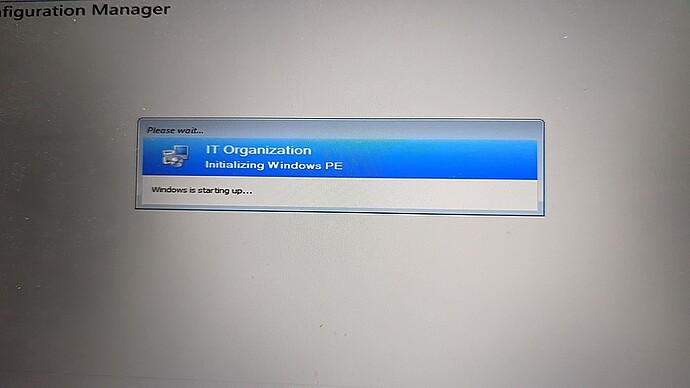
and we cannot did any operation on them.
The scenario consists of two Windows Server 2019 virtual machines where the Primary Site and Distribution Point roles are installed and the PXE role has been activated on the DP server.
Troubleshooting
Initial troubleshooting efforts focused on BIOS configurations (e.g., disabling Secure Boot, AHCI storage compatibility, etc.) and any missing storage or network card drivers. These checks revealed no anomalies, as when the procedure was started via USB stick, all the drivers were present (IP address assigned and disks visible via Diskpart), and it was possible to proceed with Task Sequence selection.
After being able to start a command prompt session by repeatedly pressing the F8 button (remember to activate the Enable command support option on the boot image).
We were able to access the smsts.log log generated by the Task Sequence (available at the following path X:\Windows\Temp\SMSTSLog) and the issue seemed to be related to a missing password as reported in the log:
memcmp (pNetwork Password, m_bNetwork Passwd, cbNetwork Password) == 0. HRESULT=80004005 (D:\dbs\sh\cmgm\1213_044837_0\cmd\1g\src\Server\pxe\common\src\pxecrypt.cpp.175)
passwd.Extract Password(bVariableKey. DhcpOptions.VariableKeyLen). HRESULT=80004005(D:\dbs\sh\cmgm\1213_044837_0\cmd\1b\src\Server\pxe\tspxetspxe.cpp.215)
PxeGetPxeData failed with 0x80004005
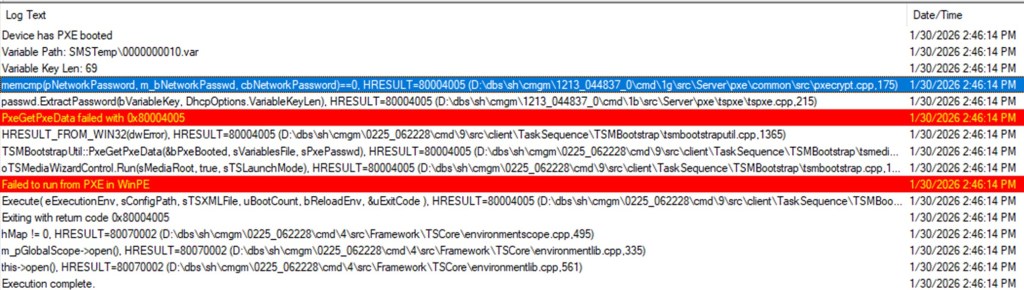
At this point we focused on the current configuration present on our Distribution point server.
Resolution
To solve the issue, we changed the configuration of our DP/PXE server in order to request a password when devices use PXE:
- In the Configuration Manager console, under Administration section, select affected Distribution Point with PXE feature enabled.
- Right click on the DP and select the Properties option.
- Go to the PXE tab and select the Require a password when computers use PXE option
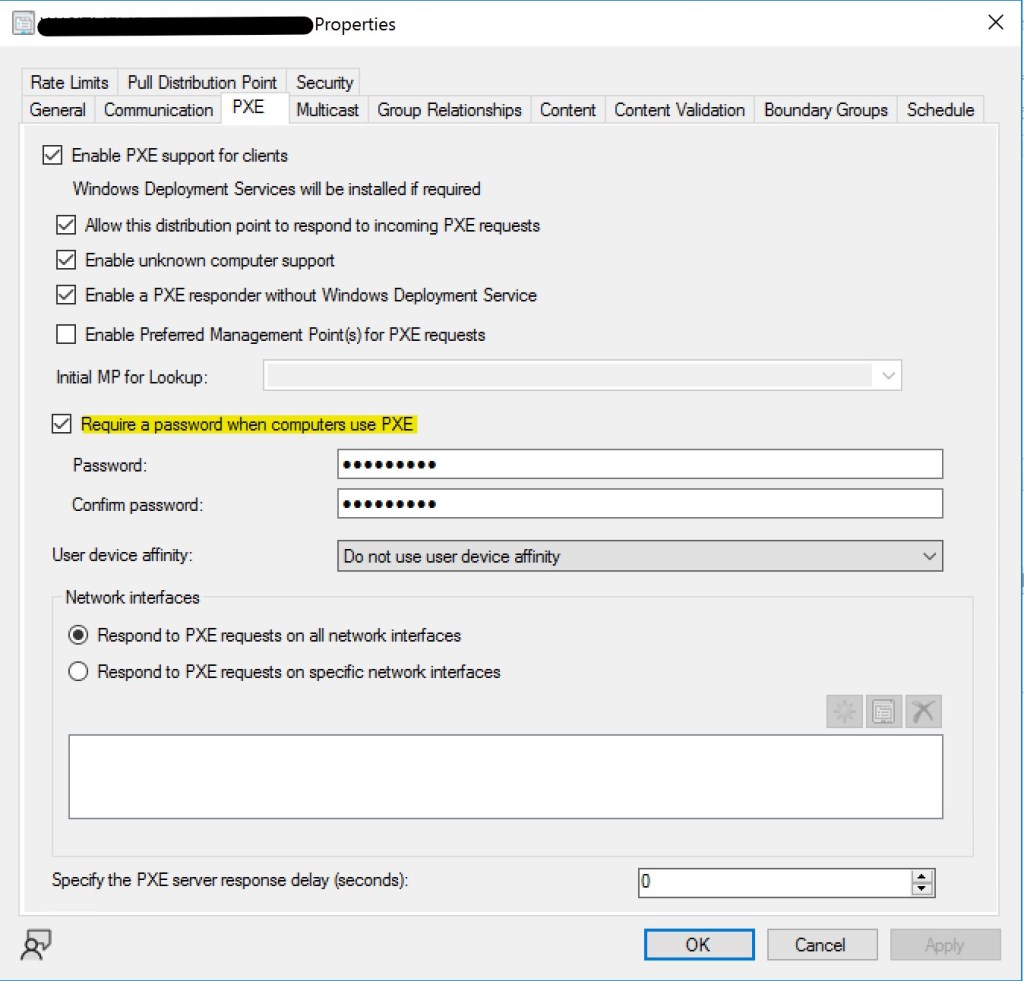
- Enter a password and confirm the changes using the Apply button.
In summary, after this changes, you are able to start the Task Sequence procedure using PXE after entering the password you need.
I suppose this is an unpublished bug from Microsoft in version 2509 and I think it will be fixed with the release of a hotfix rollup; until this is resolved, you can use this workaround to allow proper device preparation through your Task Sequence.
 Enterprise Mobility Blog